Guide
Linktree alternatives: free, built for Instagram, and billed nowhere
Many Linktree alternatives give you the same thing: a column of buttons. If a column of buttons is what you want, several tools below give you one for free. This post is also for people who searched "linktree alternative" because the column itself is the problem.
Why people leave Linktree
- The useful numbers sit on paid plans. Linktree's free plan shows lifetime totals, but the date range is 28 days on free. The "Most Clicked" link ranking and the traffic-source breakdown are Pro and Premium only.
- The badge stays. Hiding the Linktree button at the bottom of your profile needs a paid plan.
- Too many links. A page that gains a button for every post gets long, and a follower from today's Reel has to hunt for today's link.
- No post in the numbers. Linktree's Insights help page describes no way to see which Instagram post a click came from.
Linktree vs Beacons, Taplink, Carrd and more: free plans compared
Facts below come from each tool's own pages, read on 3 October 2026. Prices are as those pages showed them and may differ in your region. "Not stated" means we could not confirm it from an official page.
| Tool | Free plan | Click analytics on free | WhatsApp button on free | Cheapest paid | Branding removal |
|---|---|---|---|---|---|
| Linktree | Yes, unlimited links | Lifetime totals; date range 28 days on free; Most Clicked and traffic sources on Pro and Premium | Add a wa.me URL as an ordinary link |
Not stated | Needs a paid plan |
| Beacons | Yes, 9% seller fee on sales | Not stated | Not stated | Creator, $10 a month or $100 a year | Creator Plus ($30 a month) and up |
| Taplink | Yes, BASIC | Page views only; clicks start on PRO | Not stated | PRO, $4 a month billed yearly (US price) | BUSINESS plan |
| Later | No free plan listed | No free plan | Not stated | Starter, $18.75 USD a month billed yearly | Included on paid plans |
| Bio Sites | Yes, 100% free | Most-clicked links | Not stated | No paid plan listed | Not stated |
| Carrd | Up to 3 sites | No, analytics need Pro Standard ($19 a year) | Not stated | Pro Lite, $9 a year | Any Pro plan |
| ownstreet | Up to 5 links | 7 days of basic analytics | Yes | Pro, ₹299 a month in INR | Pro and up |
| inkink | 200 codes | Open count per code | Yes, 1 button per block | Pro, not on sale yet | No option; the code sheet shows an inkink.in mark |
What each does well, from the same pages:
- Linktree gives you unlimited links on free, and its help center shows how to add WhatsApp as a
wa.melink. - Beacons shows where visitors come from ("traffic IN") and clicks per link. It charges a 9% seller fee on Free and Creator.
- Taplink says it takes no commission on sales.
- Later builds its page from your linked Instagram and TikTok posts and reports "Instagram Post Clicks".
- Bio Sites needs no Squarespace subscription.
- ownstreet is the India pick if selling is the job: 0% platform fee on product sales (Razorpay gateway fees still apply) and UPI via GPay, PhonePe and Paytm.
These tools differ on price, fees and looks. Each still hands the visitor a page of links to scan.
A different shape: type a code
inkink is a link in bio page where the follower types a short code instead of scrolling. You say "code ragu" in the video. They open your bio link, type ragu, and land on the ragu. Every code counts its own opens, so you know which post did the work.
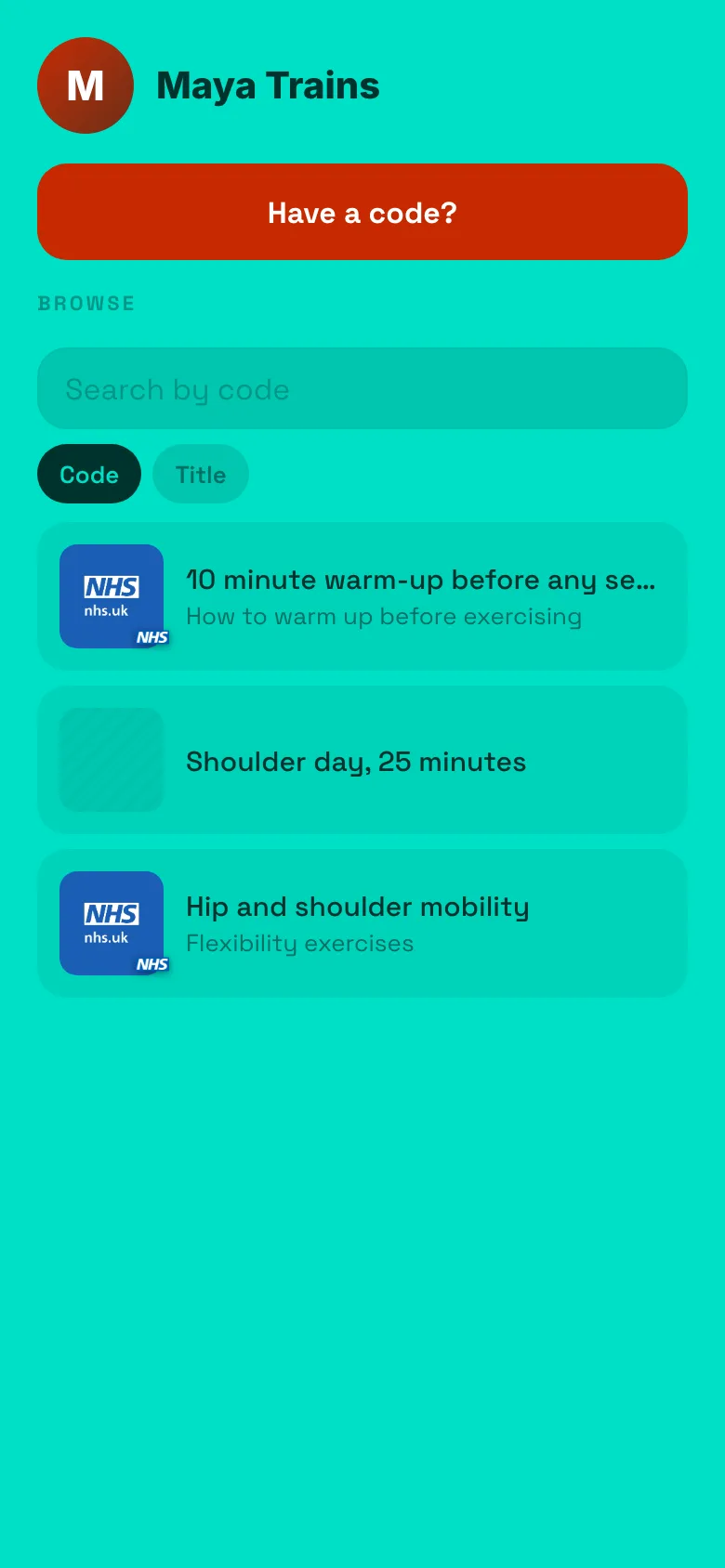
What is in the free plan, exactly:
| Free | |
|---|---|
Page at inkink.in/@you |
Yes |
| Codes per page | 200 |
| Code opens one link or a small page (text plus up to 5 images or links) | Yes |
| WhatsApp, Instagram or Messenger button on a block | 1 per block (3 on Pro) |
| Open count per code | Yes |
| Browse list for people without a code | Yes |
| Global code that works from inkink.in with no handle | 1 |
| Image storage | 100 MB |
| Billing | None. Sign in with Google. |
What it is not: a store, a newsletter tool, a scheduler. It is a redirector with a memory.
Linktree alternative for Instagram specifically
The page is built for the Instagram in-app browser first: one column, no keyboard popping up on load, big tap targets, one small bundle. Codes are forgiving: EP 1 opens ep1. A story link sticker can carry inkink.in/@you?code=ep1 and skip the typing.
Linktree alternative for India
No subscription and nothing to pay. The Message on WhatsApp button on a block opens wa.me/<your number>, a chat with you, with no pre-filled text. See how to add a WhatsApp link to your Instagram bio and take orders. If you need checkout with UPI, ownstreet (above) is built for that.
One link for all social media
Use the same inkink.in/@you on Instagram, TikTok, YouTube, X and your email signature. Codes work the same everywhere, which is the point of saying a word instead of pasting a URL.
A follower who forgot your handle can still find you. On the inkink home, switch the box to ## and type ragu, or paste ##ragu. Listed ragu codes show up with their creators (up to 20; a single match opens straight away).
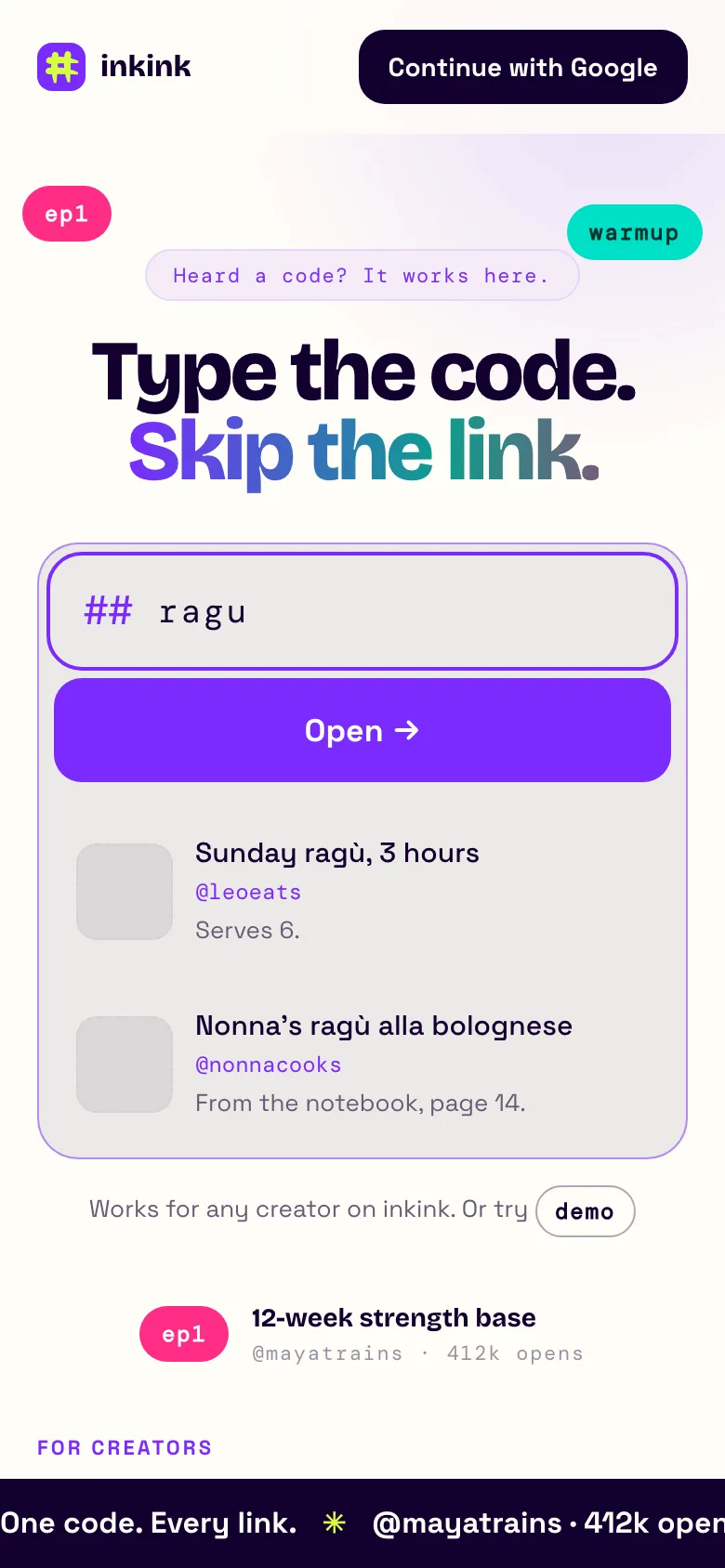
ragu code.How to switch from Linktree
- Sign in at inkink.in with Google. Claim a username, ideally the one you use on Instagram (letters, numbers and underscores, 3 to 30 characters).
- Add your current top links with New code, and turn Show in the browse list on. Your page now has a list like your old one; redirect codes show a preview image when the link has one.
- From the next post on, give the post a code and say it.
- Replace the bio link.
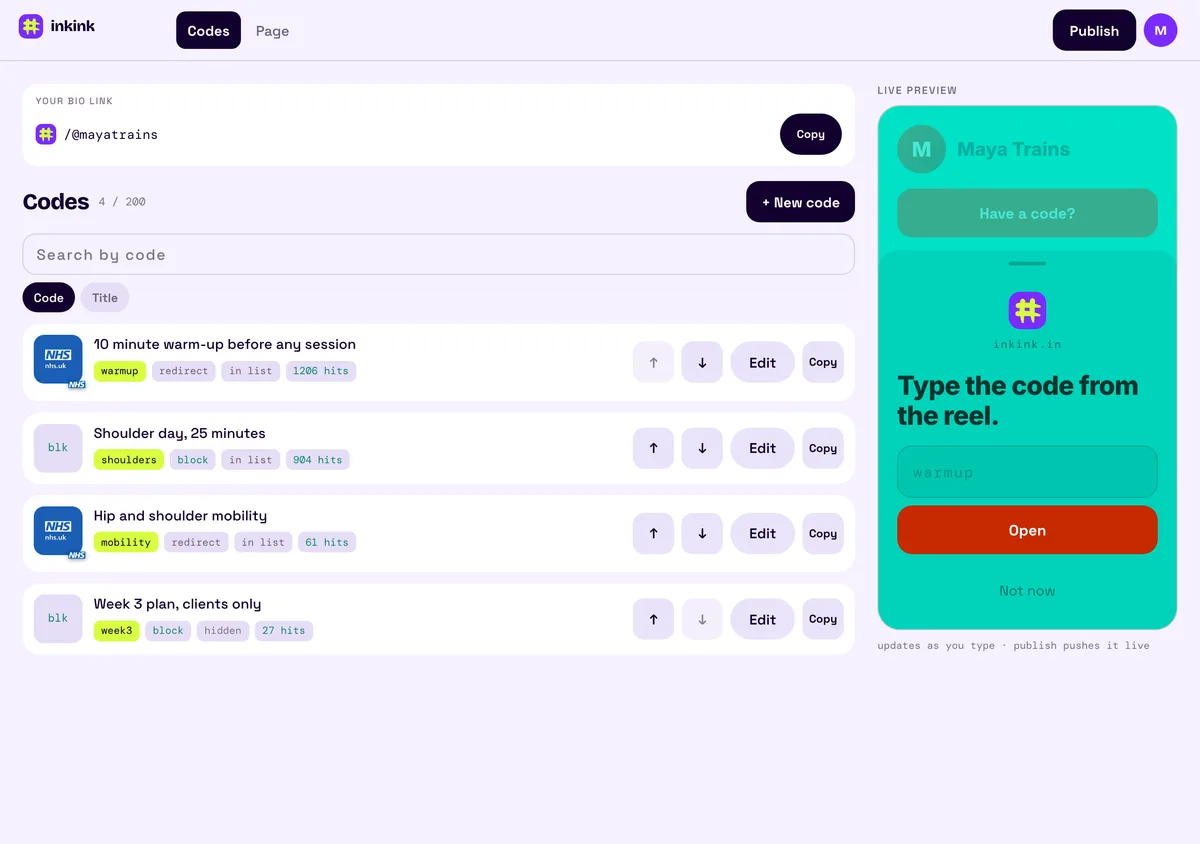
Your old Linktree can stay up until the codes have taken over.
FAQ
Is there a free alternative to Linktree with click tracking per link? inkink counts opens per code on the free plan. On Linktree, the "Most Clicked" ranking is Pro and Premium only.
Can followers still scroll a list?
Yes. Listed codes appear in the browse list. Unlisted codes stay out of the list but still open when typed or linked with ?code=.
Do I need a website? No. A code can open a small page on inkink with text, images, links and a message button.