Guide
Link in bio for musicians, free: one word for the set list, the tracks and the next show
A musician's bio link has to do four jobs: the new single on every platform, the gig list, the merch, and whatever the last post was about. A list of links puts all four in one column and leaves the fan to find the right one.
The gap is live. You finish a set, someone at the bar wants the track you closed with, and "it's on my link in bio" sends them to a page of streaming logos for a single from March.
Say one word at the end of the night
Set list and the tracks: code setlist at inkink.in/@yourband.
They open your page, type setlist in the code box and get a small page: tonight's set in order, each track with its streaming link, the next show, a button for bookings. Tomorrow you edit it for the next show. The word on the poster does not change.
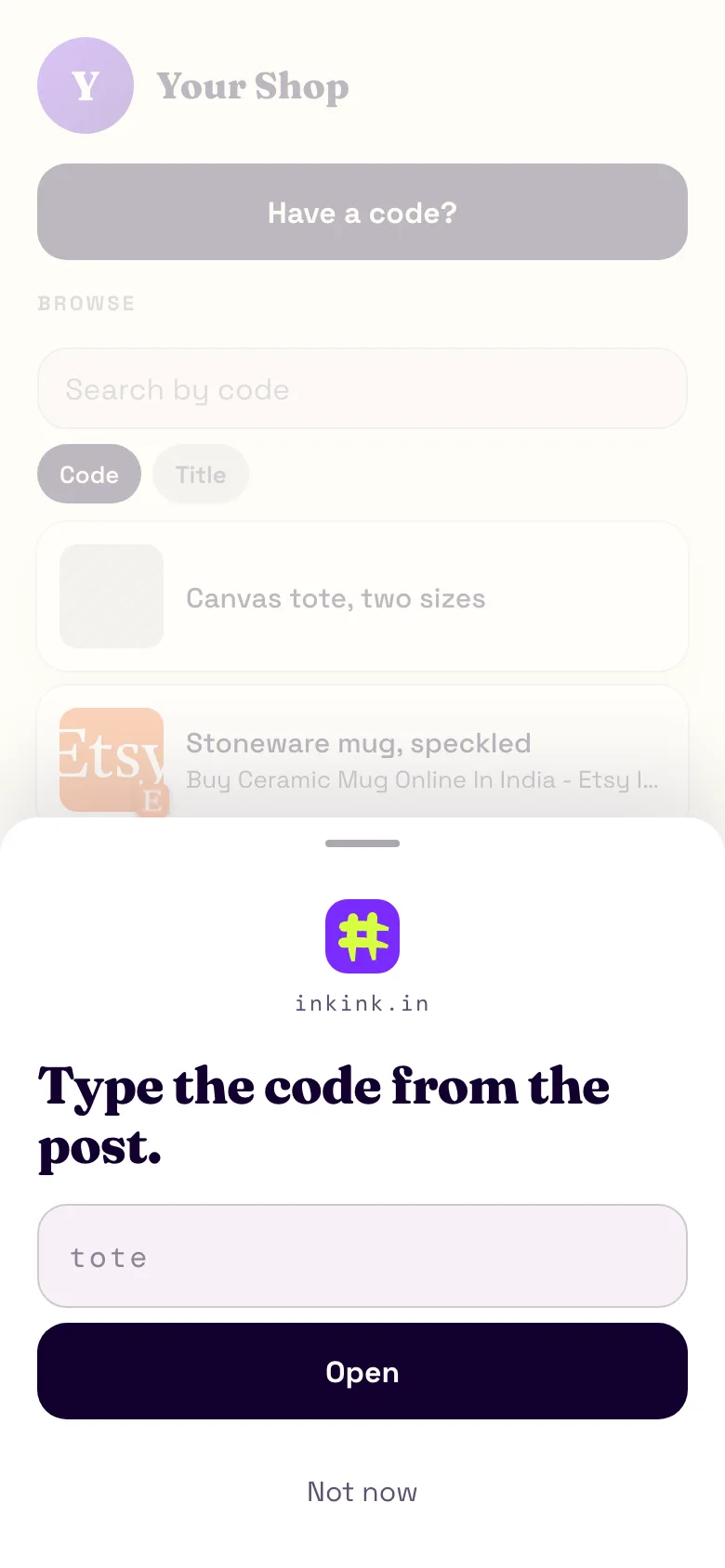
What a music page on inkink holds
Each code opens one link or a block:
- Title:
Set list, Blue Frog, 3 Oct - Body: the songs in order, plain text, up to 2,000 characters
- Items: up to five links or images. The Spotify link, the Apple link, the YouTube video, the merch page, a photo of the poster
- A button: Message on WhatsApp or DM on Instagram for bookings. One action button per block on the free plan, three on Pro.
Then more codes, one per thing you actually say out loud:
newfor the current single. Repoint it every release and the word in every old caption still works.showsfor the gig list.merchfor the shop.demofor an unreleased track behind an unlisted code you hand to a label or a promoter. Unlisted codes work when typed and never appear in the list or in search. It is not a password: anyone who has the word can open it.
Make new a Redirect and the visitor sees a short handoff before the streaming page opens: the code's title, its preview image if it has one, "Opening in 5" and a Stay here button.
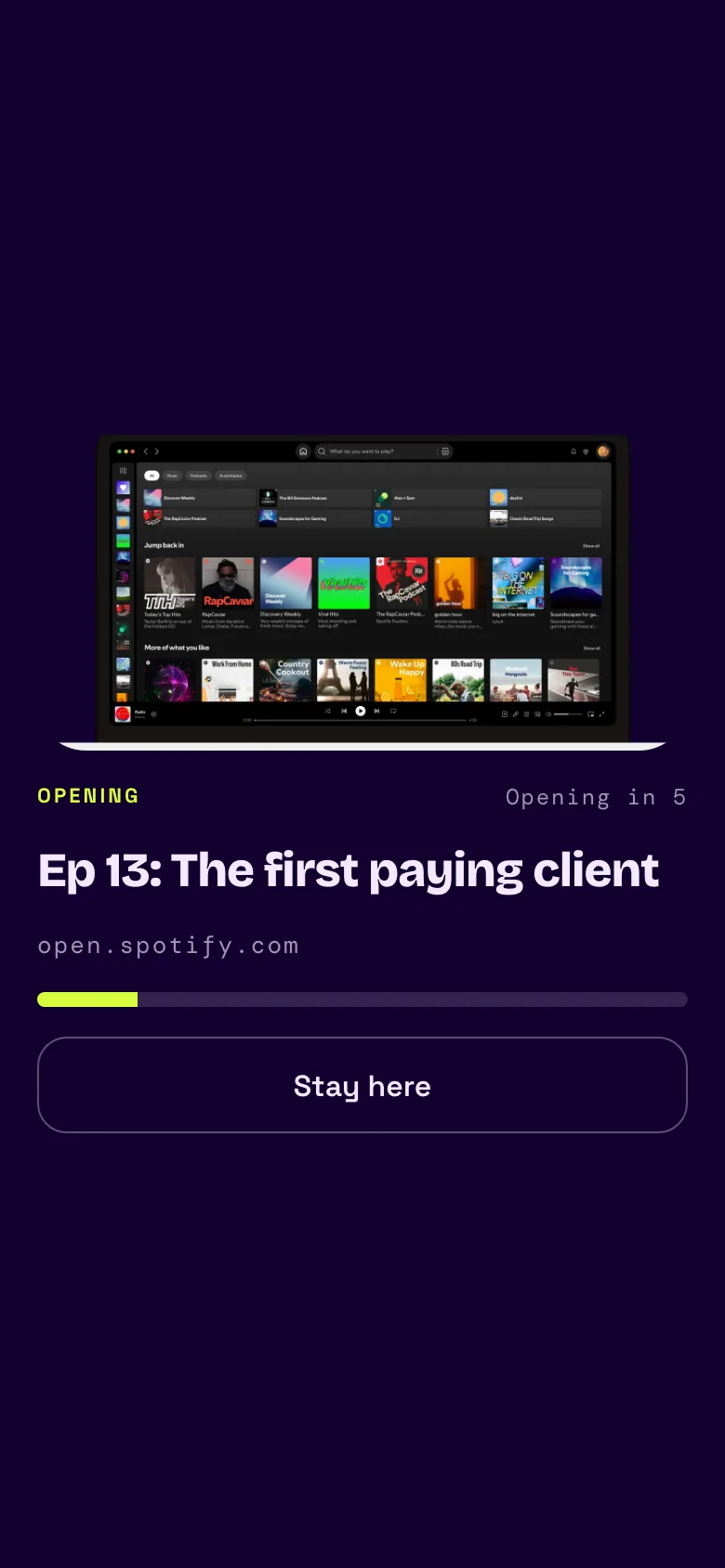
Free, and what free means here
The page, up to 200 codes, one action button per block, one global code and 100 MB of images. Nothing to pay. Sign in with Google.
The global code is worth using. It opens from the inkink home with no handle. The box there starts in # mode, so if your global code is yourband, the poster can say "inkink.in, type yourband" and a fan lands on that code without knowing your username. No two global codes on inkink share a word, so pick one nobody else has taken.
Which post sold the ticket
Every code counts its opens in your editor. The count is a running total, so note it before you post the tour video and check it a week later. To compare posts, give each its own word: tour in the tour video, shows on the poster. Instagram's own insights can show bio link taps for a feed post or story (Meta); a code also tells you which page they opened, and it works the same on TikTok and YouTube. An open is counted every time a code resolves, including a reload of a ?code= link, so read the number as opens, not people.
For DJs
tracklist after the set, edited the next morning. Fans who missed the night still get it, with the SoundCloud or Mixcloud link on the same page.
inkink vs Linktree and Beacons for music links
Linktree and Beacons give you a link-in-bio page: a list a fan scrolls. inkink is built around a word you say from the stage or write on a poster. Facts below come from the vendors' own pages.
| inkink (free) | Linktree (free) | Beacons | |
|---|---|---|---|
| Free plan | 200 codes, each a link or a block | Unlimited links | A store, with a 9% seller fee on Free |
| Analytics | An all-time open count per code | Lifetime totals; date range 28 days on free; "Most Clicked" and traffic sources on Pro and Premium | Traffic sources and clicks per link |
| Removing the brand | No brand setting: the door layout's code sheet shows the inkink.in mark; the list layout shows none | Needs a paid plan | Creator Plus ($30 a month) or higher |
Where they do more: Linktree's free plan gives you unlimited links and lifetime totals of views and clicks, with a date range of 28 days. Starter gets a 90-day range, Pro 365 days, and Premium the full lifetime. Beacons shows where visitors come from and clicks per link, and it can sell from the page. It charges a 9% seller fee on the Free and Creator plans; only Creator Plus and Creator Max have 0% (pricing, fees). Its cheapest paid plan, Creator, is $10 a month or $100 a year in USD.
Where inkink differs: it takes no payments, and its numbers are a count per code with no date range or sources. In return, a fan at the bar types setlist and lands on tonight's set.
Set up
- inkink.in, continue with Google, claim your band or artist name as the username (3 to 30 lowercase letters, numbers or underscores).
- New code for
setlist,new,shows,merch. Pick Redirect or Block. Turn Show in the browse list on for the codes fans should see. - Put
inkink.in/@yourbandin your Instagram, TikTok and YouTube bios.
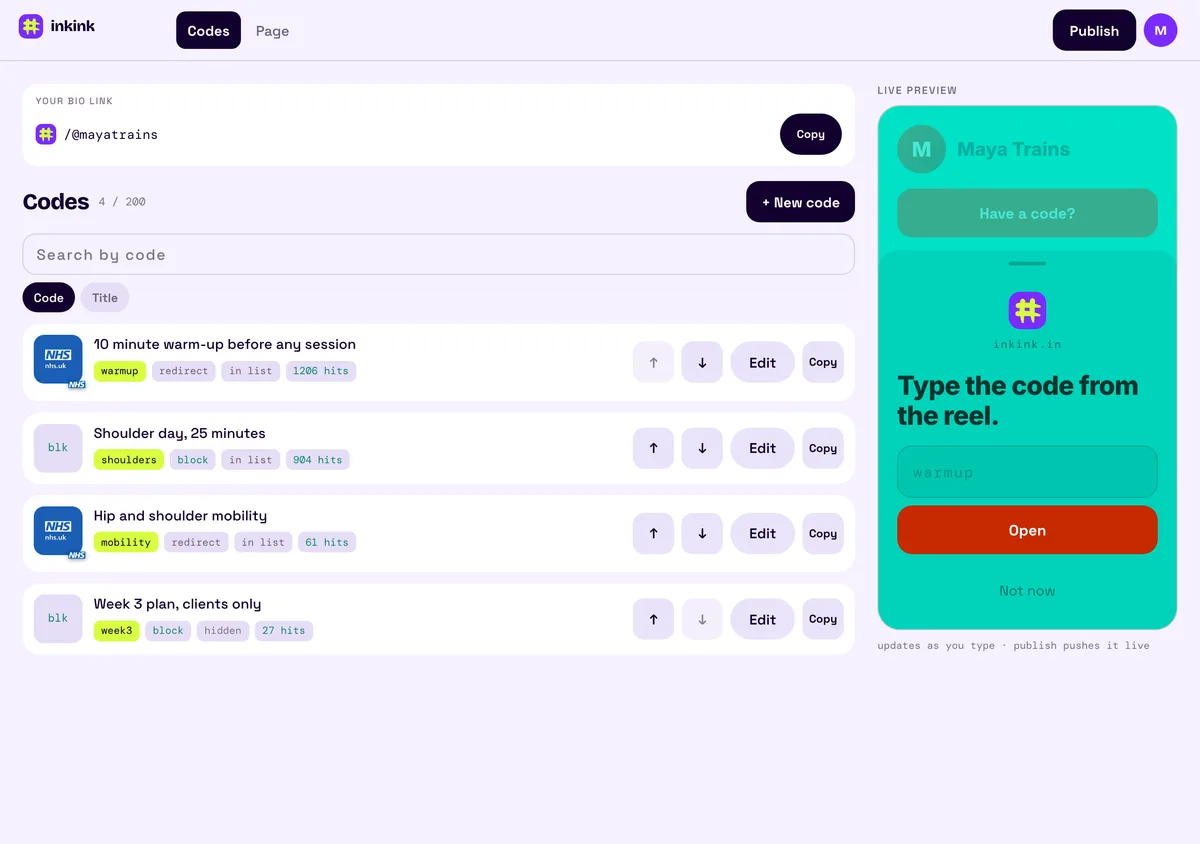
FAQ
Can the link open Spotify directly?
Yes. Make new a Redirect to the Spotify URL. A five-second handoff shows the code's title and its preview image if it has one, then opens it, with a Stay here button to cancel. Or make it a block with Spotify, Apple and YouTube side by side.
Can I put the code in a story?
Yes. The link sticker takes inkink.in/@yourband?code=new.
Can fans still browse?
Yes. Behind the code sheet, Not now shows the browse list of every listed code with its title. Redirect codes show their preview image when they have one; blocks show a blank thumbnail. Keep new, shows and merch listed and the page doubles as a normal music link page.
Is inkink free like Linktree's free plan? Yes. inkink's free plan holds up to 200 codes; Linktree's includes unlimited links. Hiding the Linktree button needs a paid plan.